My last position was one I really did not want to leave. I was there for about 5 years and it was a wild ride. A paragraph on a resume really doesn’t convey what it is that occurred there. This is just another blurb for adding to my portfolio.
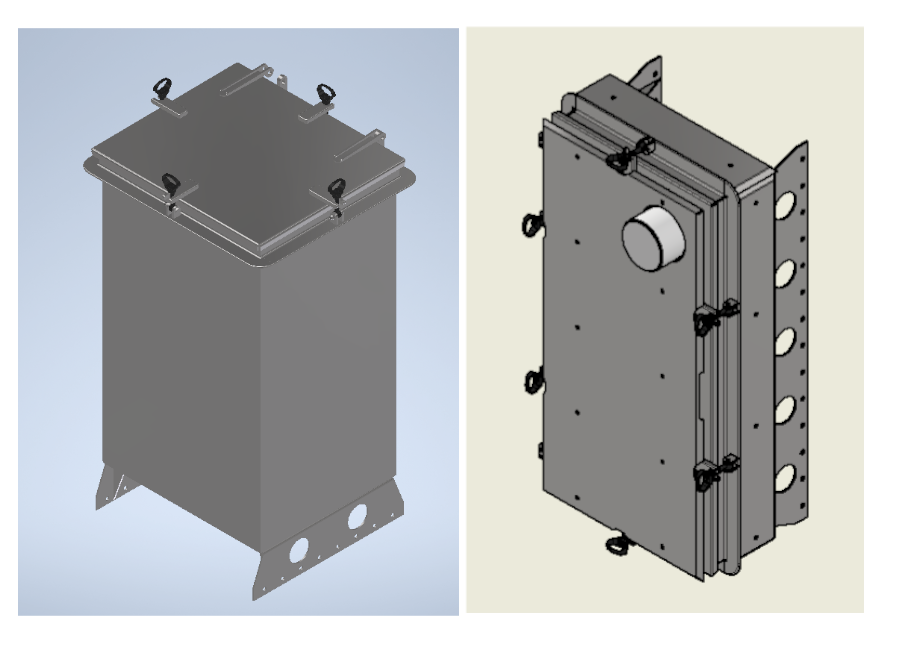
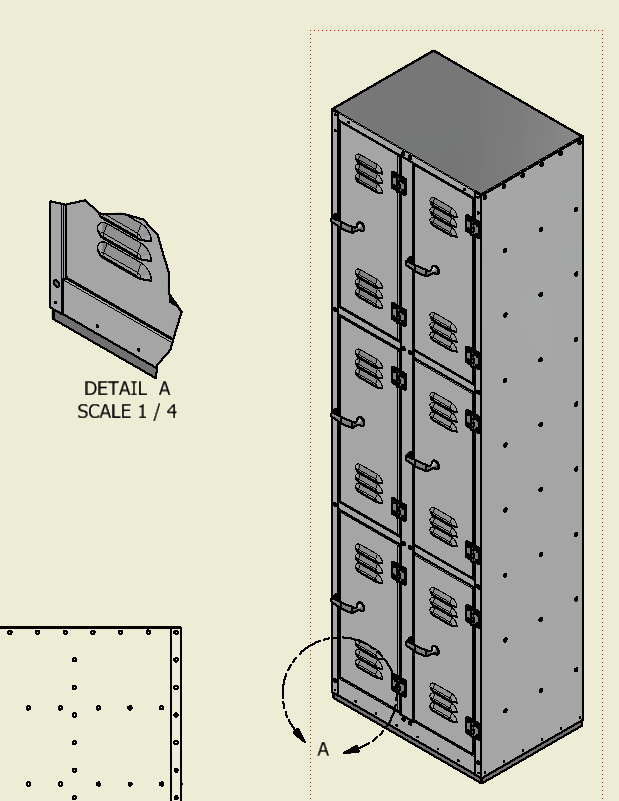
It all started not to long after I was hired to be a CAD guy. They had recently taken a contract to build multiple sets of these two lockers. I can’t really say much about them but the one on the left was for long term storage of defense munitions aboard Naval ships and the other was for mounting on the deck for quick access.
The design had begun in AutoCad. They were having trouble cutting them out on their waterjet because of some programming issues. They gave me the opportunity to try my hand at it and I spent a cold winter in a unheated warehouse figuring out the waterjet and how to program it. All while starting to figure out Inventor.
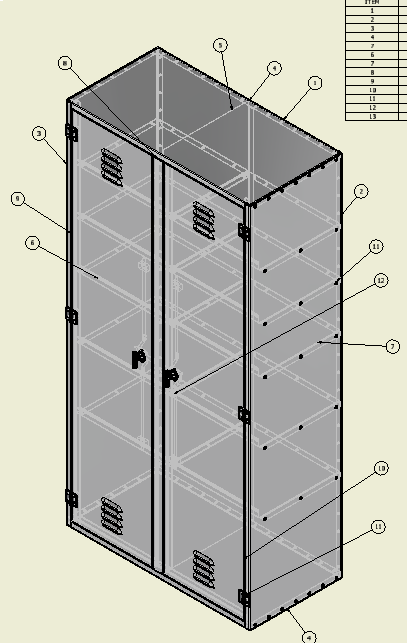
Then I was handed a cryptic drawing from the 60’s and asked if I could design it. So I did and we punched it out on our turret punch and it was assembled. It went well.
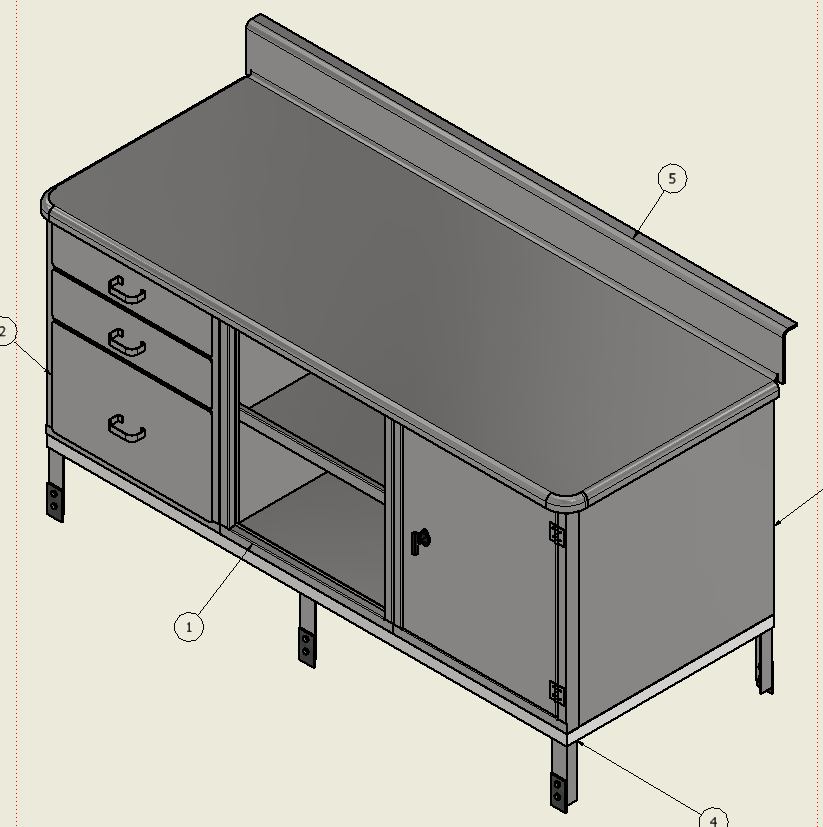
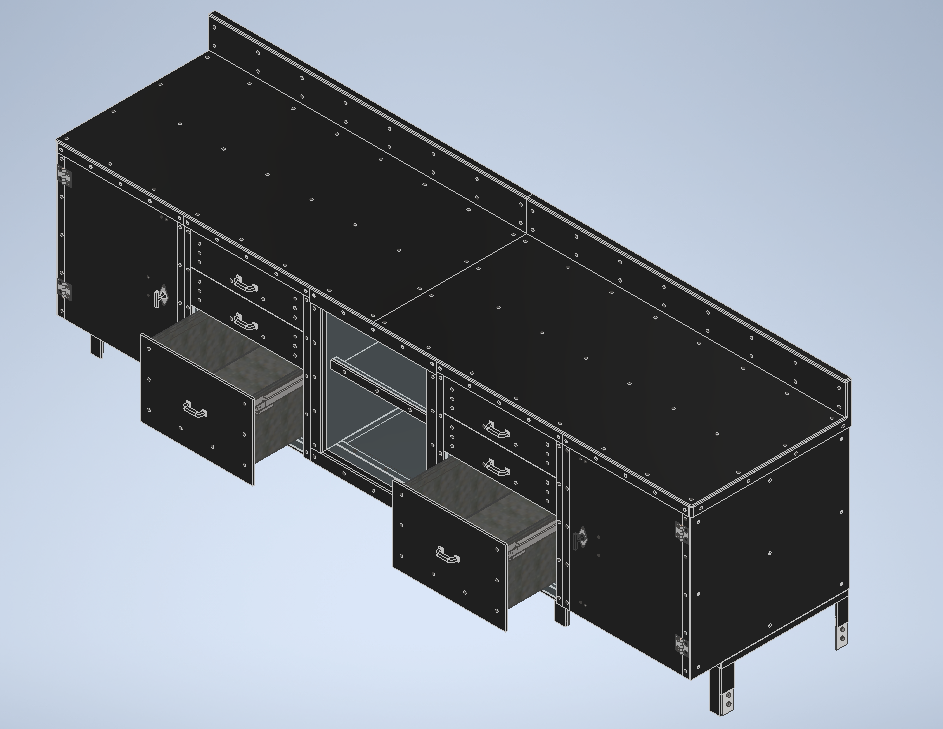
Here are some other things I designed and they built while there.
This is just a sample. It was just me. They were building a shop and I was learning and churning. I really liked it there.
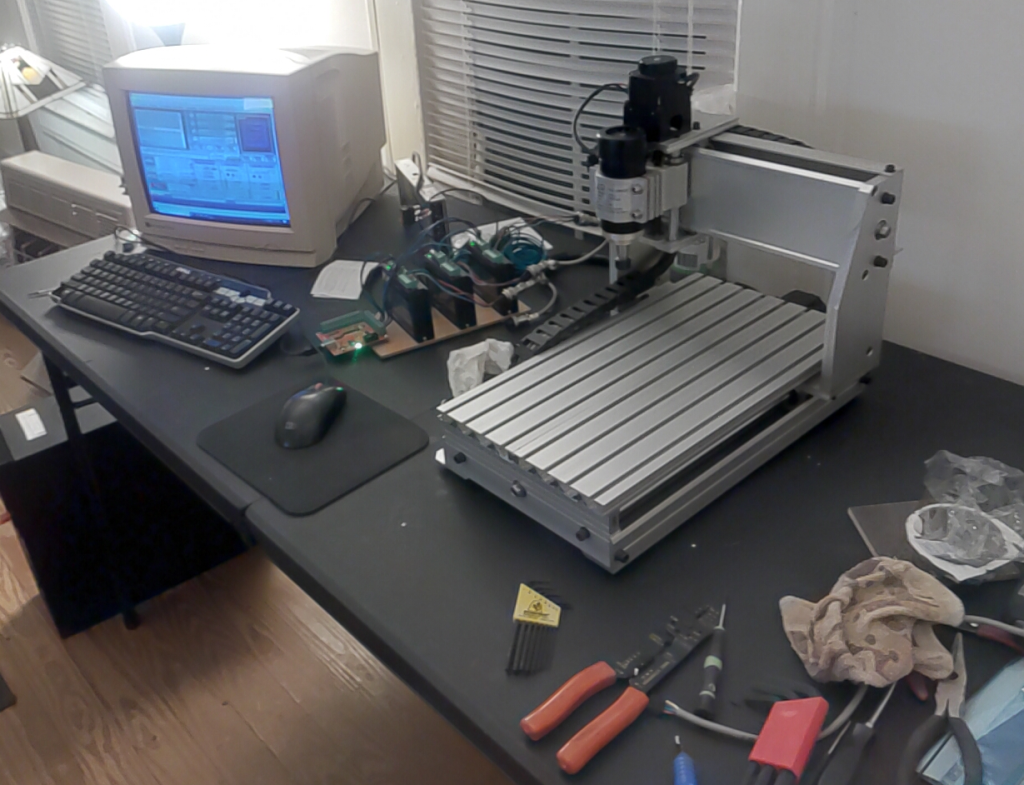
Years ago I bought a little 3040 CNC. It was disappointing. It really is cool for what it is however, it did work, just not well. There really isn’t anything wrong with the machine itself the electronics however are not so great. Years later I bought a 6040 CNC and while it works better, is a much nicer machine it suffers the same ailments as the 3040. I decided at some point that using these machines for the basis of a small business was a good idea. The all in price for a 6040 is affordable and the machines themselves are pretty solid.
Delving into the idea proves to be a rabbit hole. This is where AI came in. I am not naming the AI it is however impressive and is in my opinion the best one. I started asking it questions it gave me some useful information. Then after digging into the topic independently had more insight for more questions. Rinse repeat until the goal in mind was clear. This would be a good time to point out the AI is lousy at giving opinions and suggestions. Just don’t do it it will lead to expensive mistakes.
My goal was/is to upgrade these stock cheap widely available CNCs to consistent, reliable, and accurate machines for production use. Having come from a solid background of programming, designing control systems, and using CNCs help me to understand what I am seeing and experiencing so not being dependent only on the AI has allowed me insight into the strengths and the flaws in AI.
AI’s are cool let me state that. I am not knocking them. There are different kinds and that is beyond the scope here. I am referring now to what is called a Large Language Model (LLM) running on what is called an inference engine. It did not take long to realize if you are going to use and depend on this charming seemingly wicked smart algorithm to make real decisions in the real world it would be helpful to understand what you are dealing with from a computer science perspective. The illusion is intoxicating but sober analysis of what you are dealing with reveals something deeply flawed in some ways and incredibly helpful and useful in many ways.
A LLM is a basically a bidirectional sorting engine where all the inputs are all connected to all the other elements in layers that sift through what they refer to as layers going back and forth through them until it finds the closest match and then is returns the result. Yes, its and over simplification but it is basically how it works. Training data is converted to what they call tokens. It takes months on crazy powerful computers to train one and is extremely processor intensive. Just running a small one with 8 billion parameters requires Gigs of ram and massive numbers of processes to even begin to seem interactive. I experimented with one on a Linux box and was adventure in and of itself. It is sitting here next to me on a dedicated box with some pretty decent specs. It is simplistic yet, it also a marvel. During that learning curve I came to understand the way to make an AI yours is through what they call fine tuning. Sounds simple enough doesn’t it? It isn’t and its on my list of things to understand and develop once I get my CNCs behaving.
The training aspect is pretty much out of the average user’s reach. There are several LLMs available for download and running on your own gear. The idea being you have your own sandbox to play in. The caveat being its is a generalized very smart and resourceful chat bot. If you want to get the thing to be useful for what interests you it has to be fine tuned. This is still beyond my skill set it is definitely on the list of things to do. Pointing this out redundantly is for emphasis. There is a lot of self validating incorrect data on the internet I used to call it sporge Oxford dictionary added a word this year called slop its works too. This slop is used to train AIs and them being more like a parrot with a method of filtering called weighting can produce some rather erroneous replies. Remember its just an inference machine it doesn’t think.
Now on to my main point. In the process of upgrading and configuring this CNC upgrade I was provided with some very insightful information that prevented some potentially confusing and infuriating mistakes. It also relied heavily on data provided by people who don’t really understand the topic. So yesterday I smoked my X axis stepper. It was running really well and is nothing like my previous experience with it. The fact of the matter is its awesome. That is until it started screaming in pain and smoked the motor. So back to the AI I go and its trying to convince me that I need to attach heat sinks and fans to the motors. This is a ridiculous solution. The silly AI even showed me pictures of rigs with heat sinks and fans on them. When I pointed out how utterly stupid this was it dug in and started to argue with me. This is not the first time its done it either. It tends to what they call hallucinate and if you going to use AI as an assist be very aware of this phenomenon. For the past two hours the machine has been happily running the test program that burned my X axis motor yesterday. The real solution was to dial down the current and slow down the rapid speed and acceleration. Now I could go on and on about the “hobbyist” community their insights, perceptions, and goals and why this happened because the AI was getting its weighted data from a bunch of over eager quislings. That is not my purpose. The goal as stated earlier is to turn a good machine with lousy electronics into something consistent, reliable, and accurate. I am well on my way to getting there. AI helped a whole lot and saved me months if not years of experimentation and lots of cash too. However, be warned.
Last time I wrote about a reboot it never happened. It is happening now and here is where I begin to document it. A good place to start is to define what I envision this evolution doing. It will be a marking and a small item fabrication shop. As of now getting 3 machines placed, configured and functioning well is the primary task. Its philosophy is build it and find out.
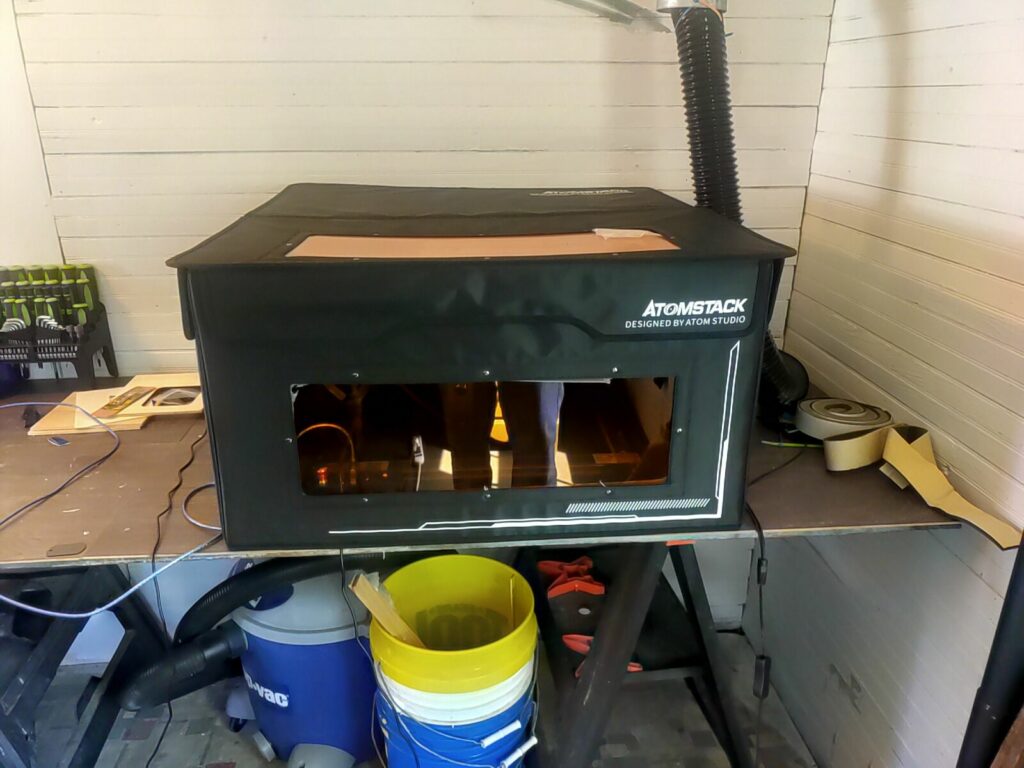
10 watt diode laser
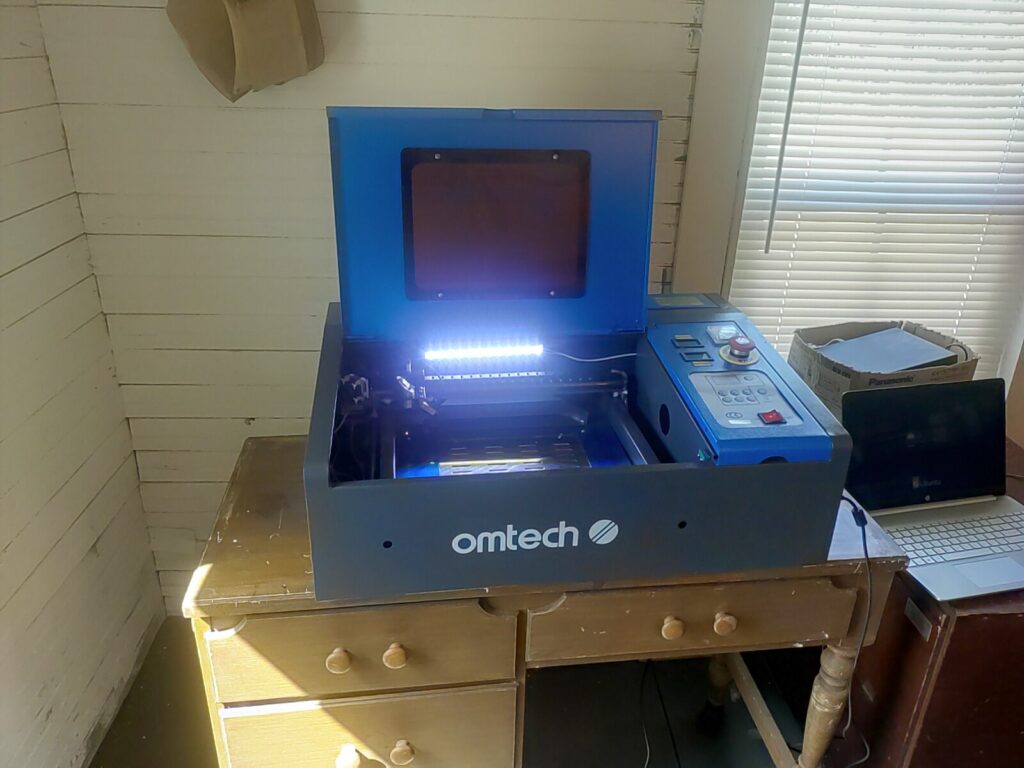
This is a picture of my setup for my diode laser. I works and I can control it with lightburn. I have made a fixture so that the machine will not move about. There is also a grid panel inside that is also restricted by cleats. This allows for rough calibration.
I did not document what I did with the cleats to restrict movement of the machine or the worktable.
I would like to create a fixture that could be adjusted and constrained so then a simple offset would be required once the fixture was locked into place. This is a simple job for the 6040
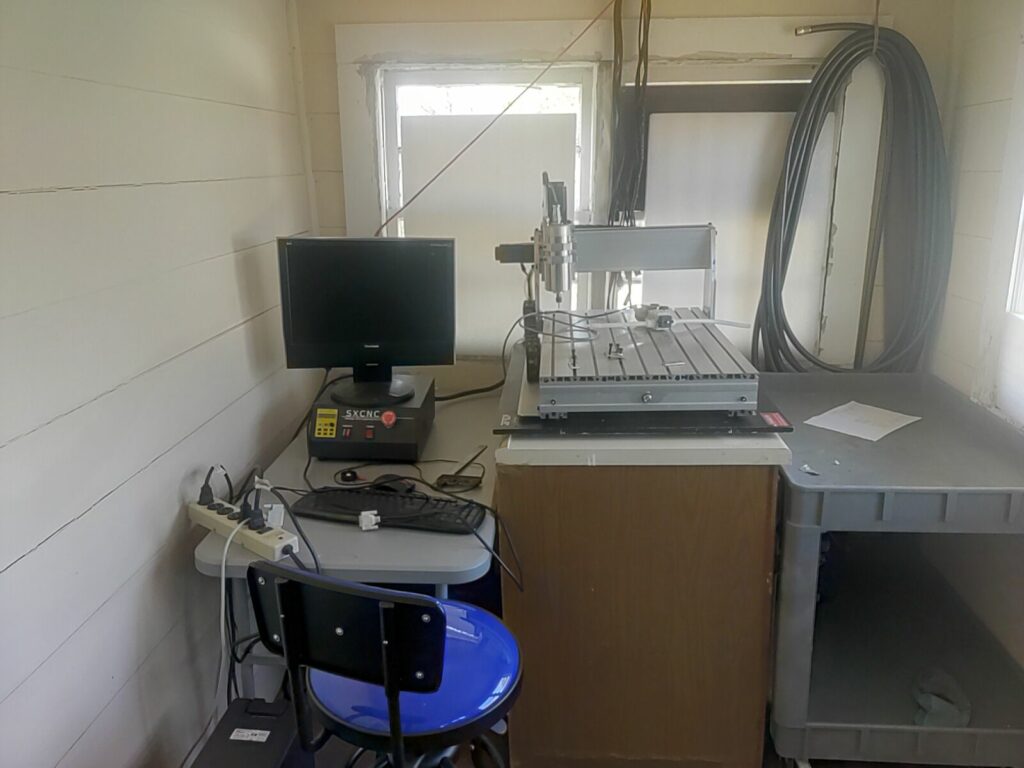
The 6040 Works every time I pick at it. This is where it will reside for production. I will probably move the table to the other side so the right side of the machine will be more accessable.
I spent the morning working on my k40 co2 laser. kinda flailing at the moment. Of course doing things the hard way is my mantra. This way you really do understand what is going on. Makes things a whole lot easier to figure out when things go wrong. Just look at this stuff its not the best.
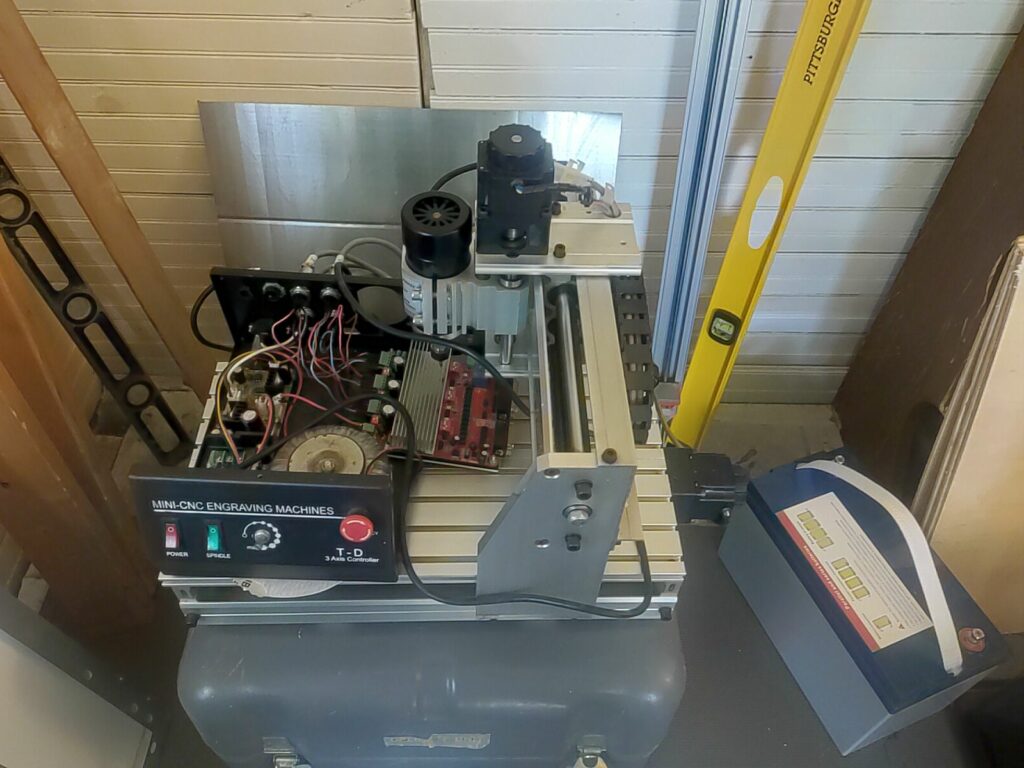
Finally in the machines category is the first CNC I bought. It was a long time ago and it really hasn’t run much. I’d like to put an acorn and controller and gecko drivers. I am pretty sure that combination will work fine with my vectric software.
That is about it at the moment. Am going to keep this a log of the progress
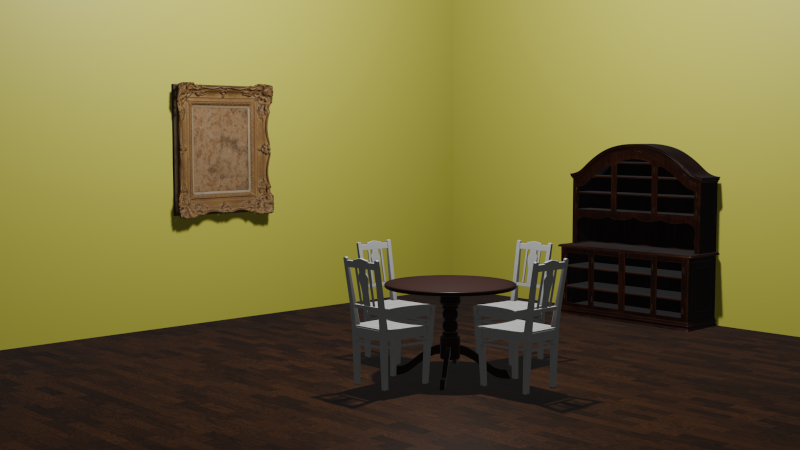
Blender is a great piece of software just for fooling around with graphics. I did this yesterday in an hour or so. Most of the stuff is just for understanding a concept or two. Once and a while is is just fun to cobble together something just to check my progress with the software.
There is a new machine in the stable. I really though it was going to be more of a toy than anything else. It turns out to be better than expected. Linux is now in the mix running Lightburn and connecting to the control. Its my first Linux CNC.
Assembling it was fairly straight forward. It started right up and ran a built in demo program built into the controller. I continue to be amazed at what has become available at a price point that allows for entry into the fabrication and marking business.
Yesterday I ran my first simple program and accidentally almost cut through the board. It was a pleasant discovery. These things really can cut through wood at a pretty reasonable clip. The smoke generated by it was a bit of a surprise. You don’t really want to fire this thing up in your dining room which of coarse I’m doing. It needs to be in a shop. I’ll probably have to enclose it and put some kind of ventilation on it.
Its been a few months now since I started putting my ideas together and working toward the goal of making a little shop. I am now familiar with several different pieces of software. There is now a machine that can be put to work. It should lead to faster development since now it is possible to be making something while tinkering with other things.
Now it is time to start coming up with product and marketing it. Hopefully with luck I’ll find a niche and be able to make a modest living marking and and fabricating small parts.
I wrote this and put in on linkedin on September of 2017. I have been thinking about this lately. I am surrounded by people that just don’t get “IT”. I still like this one it was fun to write.
If such a thing as an amateur computer scientist exists it is something that I would like to thought of as. Only on one occasion has it been my “job” it made me crazy. So for most of my life my “job” has been in some shape or form related to engineering and manufacturing. Don’t get me wrong my skill with computers is my vocation but, frankly from a theoretical sense what computers are used for in engineering is pretty boring. I have a great deal of fun writing about little gizmos that can be had for a pittance and how powerful they are for the buck. I do however and always have had a real penchant for turbo belchfire scorching brute force computer power. I still have a few of my hand made carefully specified workstations and would not personally use a machine I didn’t build.
Once upon a time the biggest baddest fire breathing beasts were used for CAD. Today it can be comfortably done on a mid ranged system as long as you aren’t trying to model complex things. My last cad station was a dual Xeon 3 Ghz machine with a Nvidia 3800 in it. A respectable machine no doubt. In fact I have three of them. I’d like to get several more before too long. I’ll get into that later. I bring it up because when I did a 240 room nine story barracks on it things got real creaky. In fact I could only do one floor per drawing because things just got a bit too laggy. I started drawing just because it gave me access to good gear and more significantly much cooler computer systems.
The first version of AutoCAD I used was release 9. It was the second release of the software. Why it was called 9 you will have to take that up with Autodesk. It came with like a dozen manuals. All of which I read cover to cover, some several times. It is during this time several very cool computer concepts came into focus. First and foremost is the idea of vector versus raster graphics. It may not be common knowledge but ACAD was always a 3-D system. It even included the standard primitives minus the Utah teapot. So while the less informed may have thought I was sitting in the corner drawing and learning how to design control systems my agenda was quite different, I was discovering procedural vector graphics organized into a database which parsed and projected vector data onto a two dimensional plane and displayed on a raster screen.
Graphics have always been my thing. Back when I was surreptitiously advancing my personal interests while appearing to do stuff engineers thought was useful I was also discovering fractals by reading a book by James Gleick called “Chaos the making of a new science”. A book I recently discovered a fellow by the name of Loren Carpenter also read and credited with the inspiration of his co-development of the Reyes renderer and eventually RenderMan which led to him being a co founder of Pixar, A very cool thing because the book had a big impact on me and, apparently I’m not alone. Anyway one of the key concepts in the book is a thing called the Mandelbrot set. I wont go into it other than to mention a 30 line piece of basic code took 90 hours to render on my 2 Mhz graphics computer a pretty state of the art computer back in 1980’s. I was hooked on procedural graphics from that point on.
Computer graphics is a vast subject. The mechanical means by which they are projected onto a flat surface is fascinating. It involves vast memory pools, interpolation algorithms and zillions of arithmetical calculations. A simple 1080p video display consists of 2,073,600 pixels. So every image displayed must at the very least require a data stream of over two million data points. A standard refresh rate for a display is 60 Hz. So multiply ~2×10 to the 6th x 60 and you get a very big number all of this occurs 60 times per second. Now color depth is another matter a standard “true color” is 24 bits or 3 bytes per pixel so the amount of memory is 3 bytes per pixel so an image or frame requires just under a gigabyte of raw data. Now of coarse while you are displaying one image you are buffering the next one in the background so double your practical memory need. With all that is it involved it is easy to understand why a processor capable of three billion operations per second can get bogged down to a crawl rather quickly when playing with graphics. This is only a cursory look at the mechanics its not even starting to get fun yet. It is important because most people hit the on button and it just magically works. Script kiddies just wanna be creative geniuses and have no basic understanding of the underlying task.
Okay, now lets talk about vector or procedural graphics. I was using them long before I actually understood what they are. A vector is a geometrical concept used to describe a line segment. By definition it has an origin, direction, and magnitude simple as that. Now if you create 3 vectors with 3 vertices you have a triangle, the most basic form of surface you can create. Any other shape including quadrilaterals consist of combining triangles. Many times in 3-D parlance the shapes are just referred to as polygons. A cool thing to do besides draw pictures of a porch you want to build is to orient polygons in a theoretical “space” set up a point of view shoot theoretical rays not dissimilar to radar and use that information to project the result onto a flat plane and plot it. This is CAD. Go a step further and paste a theoretical surface on the polygon and texture it either procedurally with a bitmap (read raster image) and now you can create things that appear to be “real”. Go a little farther and add characteristics such as mass and then you can do procedural simulation. A little beyond my current depth but, I have toyed with physics engines and do intend to delve into them once my mastery of this topic is closer to complete. I could go on about Rend386 and POVray a couple of open sourced programs developed in the mid eighties, they are worth mentioning here because it was my first experience with these concepts and provided a base for my current understanding of the computer science of generating graphics.
In computer science there is a concept called embarrassingly parallel. Very few things meet this criteria but, rendering polygons is one of them. Years ago I got sick and tired of flat boring monochrome line drawings. I had literally drawn thousands of them. I decided to concentrate on 3-D. So then Engraf was created to pursue this goal. Back in ’02 mid range boxes were sporting 1 Ghz processors and if you look into it you will discover it takes very little geometry to bog down the frame rendering rate to a crawl. However if you use two machines it takes half the time, four would half that time again and in theory you could continue to half the time off into infinity. Alas though the exponential nature of the power of two gets cruel and expensive rather quickly. So Engraf never really left the developmental stages.
Since then multi processor multi core systems have become more affordable. So now the key element is coming down to the human element. while still not cheap is the human capital that is now the real expensive element. For the past ten years all I have done is model 3-D. Of coarse someone paid me to do it because while my agenda was in the background in the foreground was helping someone make money and meet their payroll. I like win win and don’t subscribe to the concept of zero net gain. Of coarse now they got these cool scanners that create point clouds but, that is a whole other graphics topic for some other time. So yeah, I CAD but probably not how you think even, if you CAD too.
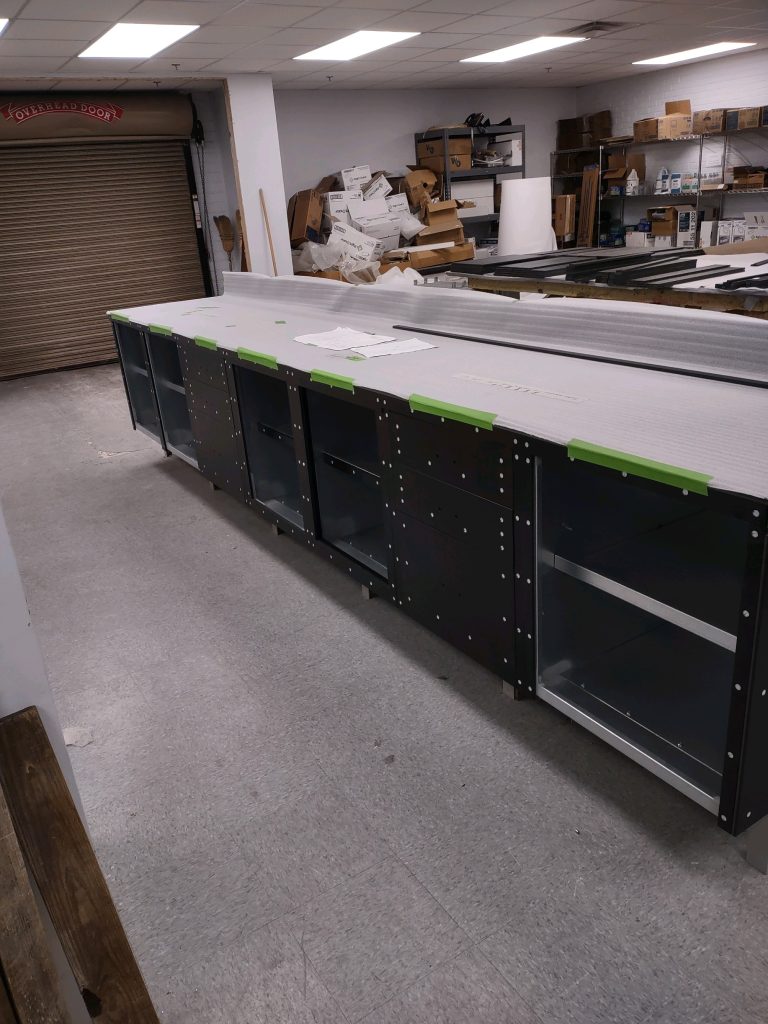
Been working on a series of workbenches for manufacture this past few months. Created models, Programmed the machines and now they are in process so I did a few renders in Blender.
I have mentioned linux quite a bit in pretty much anything I write about computers. This is because when it comes to operating system there really is nothing to compete with it. Looking at my resume it is easy to conclude most of my career has been spent drawing with CAD and running windows based systems. I do have extensive experience and knowledge of the “Wintel” platform. It is designed for and used predominantly with personal computers. It is however not a good choice for studying and learning about computers as a technology in and of itself. If you know me you are aware my first passion on life is computers. A word that is thrown around quite a bit, its meaning to me though is the actual electronic device(s) not their application or end use.
Linux is at its very core a network operating system based on principals derived from Unix. Back in the days when computer were categorized as Micro, Mini, and Mainframes one of the major distinguishing factors was the operating system the machine ran. The Mini & Mainframe domains ran a version of Unix. The reason for this was, this architecture was, Unix was a time sharing system with provisions for users, permissions, and priority as well as interconnectivity between systems. This made them suitable for large organizations with multiple users all working on the same “system”. Micro computers were designed for the use of one user. As time went on and processors became more powerful and less expensive the lines began to blur.
When Linix was first developed its purpose was really as a learning exercise by a college student. He had the vision to release the source code through a licensing scheme known as the GPL (General Public License). At the time there were many Unix utilities also available with the same licensing agreement. This included pretty much all of the Unix tools being used by proprietary systems. A major factor was this tool set included a “C” compiler. It was not long until all of this was running on the Linux kernel and linux distributions started to appear.
This was around 1993 or so. The first linux distribution I managed to get installed and running was/is called Slackware. It was an ordeal since it was on floppy disks. I don’t remember what specific version it was but, I do remember at the time my CD-ROM drive was a slot mounted single speed deal. I have been hooked on linux ever since. I have installed and configured linux hundreds of times since then. Exploring distributions has been a long term hobby. The major ones are: Slackware, Red Hat (until it became proprietary, Suse, Debian, Mandriva (now obsolete) and most recently Kali, Cent OS, Mint, Ubuntu, Noobs (Raspberry Pi) and Knoppix. These days I tend to hover around using Debian based distributions because the package manager is so mature and refined it really saves a lot of work getting a system up and running the services needed.
What Linux provides once it is up and running can provide a multitude of services and applications. Applications are a straight forward thing most people only use a few and this is the extent of their exposure to computers. A basic list of these apps would include; a word processor, spread sheet, e-mail, web browser, contacts, and calendar this pretty much covers 90 percent of most user’s needs. There are also Power Apps used by more advanced end users such as accounting, CAD, commercial graphics packages, and databases. My role in business has been mostly in the CAD role. This is because work was readily available and paid well enough. Studying how technology works is my real passion. A linux server can be set up to provide all of the back end network functions to support any or all of the above described users. It can also be infrastructure. Providing Web Server Services, Database Server, Domain Name Services, E-mail, Samba Server, CUPS, X, and pretty much anything else you can name or need.
The nice thing about linux is you can have as much or as little as you want. It plays nicely with other computers even windows and apple machines. It is highly scalable. It is in active and ongoing development and has a huge user base of skilled users.